
BarcodeGenerator
Professional Barcode & QR Code Canvas Designer. Create, arrange, and export barcodes with ease.

Requires macOS 13.0 or later
BarcodeGenerator
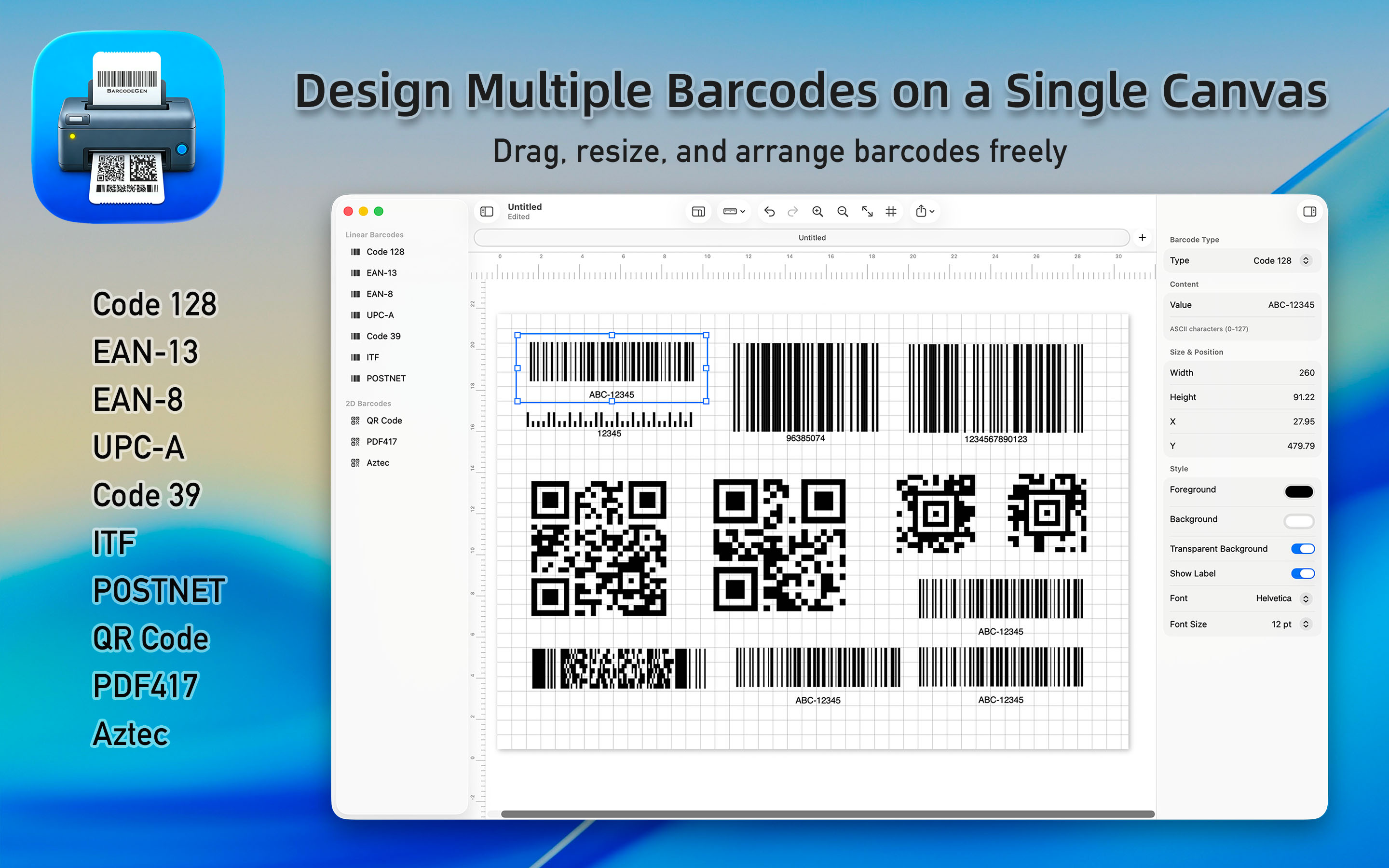
BarcodeGenerator is a professional macOS application for creating, arranging, and exporting barcodes and QR codes on a free-form canvas.
Unlike simple one-at-a-time barcode generators, BarcodeGenerator lets you place multiple barcodes on a single canvas, arrange them visually with drag-and-drop precision, batch-import data from CSV files, and export the result as print-ready output.
Key Features
Canvas-Based Design
- Free-form canvas with unlimited placement of barcodes and QR codes
- Zoom from 25% to 400% with pinch-to-zoom support
- Optional grid overlay and rulers for precise alignment
- Canvas presets for paper sizes (A3/A4/A5/Letter/Legal), label sizes, and screen resolutions
10 Barcode Types
- QR Code — URLs, contact info, Wi-Fi credentials, general data
- Code 128 — Universal 1D barcode for logistics and asset tracking
- EAN-13 & EAN-8 — International product barcodes
- UPC-A — North American product barcodes
- Code 39 — Industrial and military applications
- ITF (Interleaved 2 of 5) — Logistics and warehouse packaging
- PDF417 — ID cards, shipping labels, transport documents
- Aztec — Transport tickets and boarding passes
- POSTNET — US postal codes
Professional Styling
- Custom foreground and background colors
- Transparent background support
- Configurable text labels with font selection
- QR Code error correction levels (L/M/Q/H)
- Adjustable quiet zones for reliable scanning
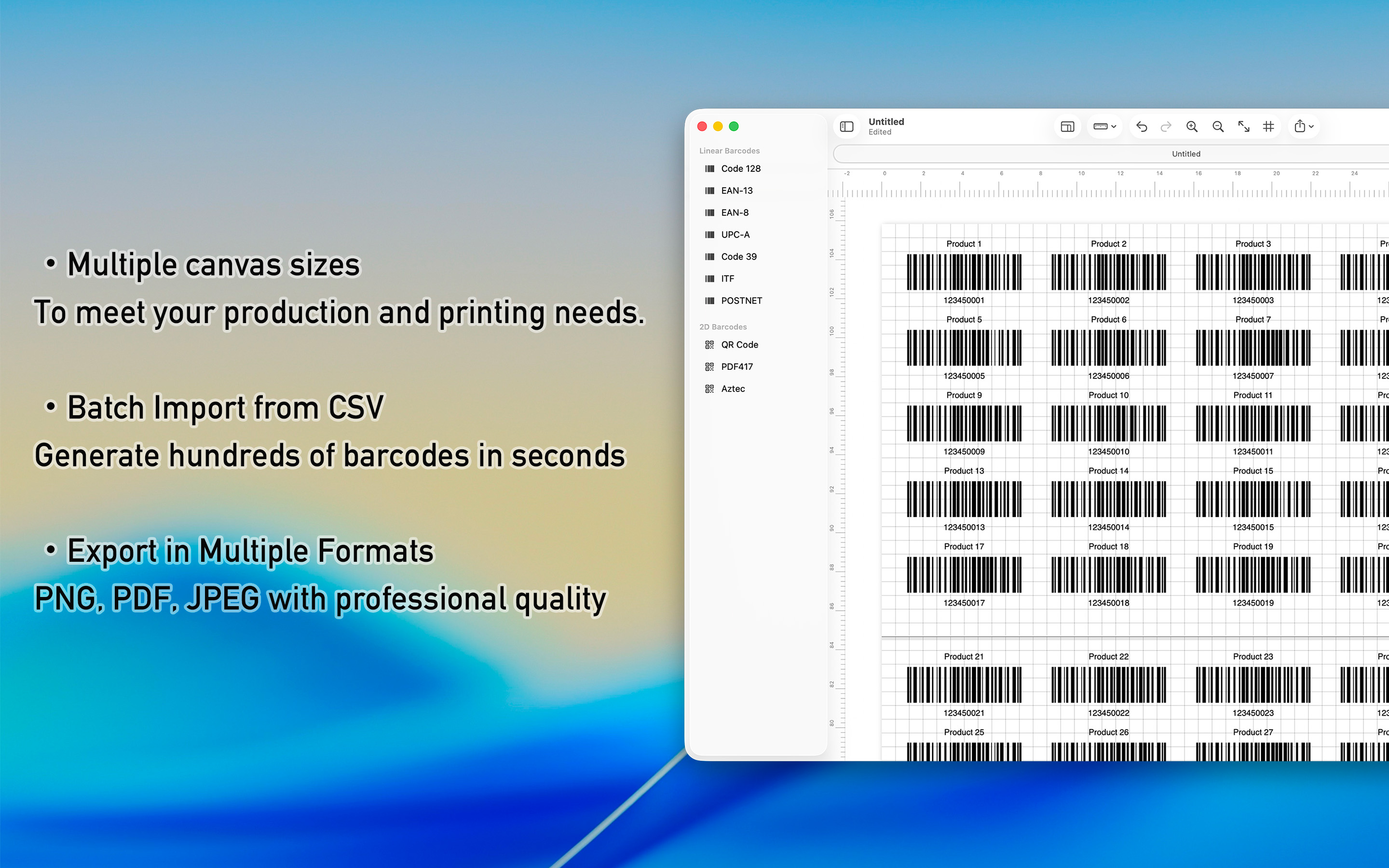
Batch Import
- Import barcode data from CSV files
- Automatic grid layout with configurable columns
- Downloadable CSV template
- Auto-expanding canvas for large datasets
Flexible Export
- Export entire canvas as PNG, PDF, or JPEG
- Batch export each barcode as individual files
- Configurable resolution: 72/150/300 DPI
- Color space options: sRGB, Display P3, Adobe RGB
Document-Based Workflow
- Native .bgen file format (JSON-based)
- Autosave support
- Full undo/redo for all operations
- Print directly to any connected printer
Support
We hope you have your valuable comments. Email: pm@utap.me